
THE BRICK CLUB APP
Your whole club.
One handy app.
Your kit library, stamp card, returns, tracking and membership, together on your phone. Spend a little less time on the admin and a little more time building.

Free Android download in the UK. Kit rental requires a paid Brick Club membership.
Already a member? Open the app in your browser
Screens show the current app interface with example account details. Some screens show an account between kit rotations. Select a screenshot to open it full size.
01 / DISCOVER
A whole library in your pocket.
Find a little inspiration for your next big build. Explore the Brick Club library, search by kit name or set number, and keep the builds you love close to hand.
- Browse cars, cranes, aircraft and more.
- Save favourites and tell us about kits you already own or want to skip.
- Favourites guide your preferences. They do not reserve a particular kit; normal membership allocation and physical stock still apply.
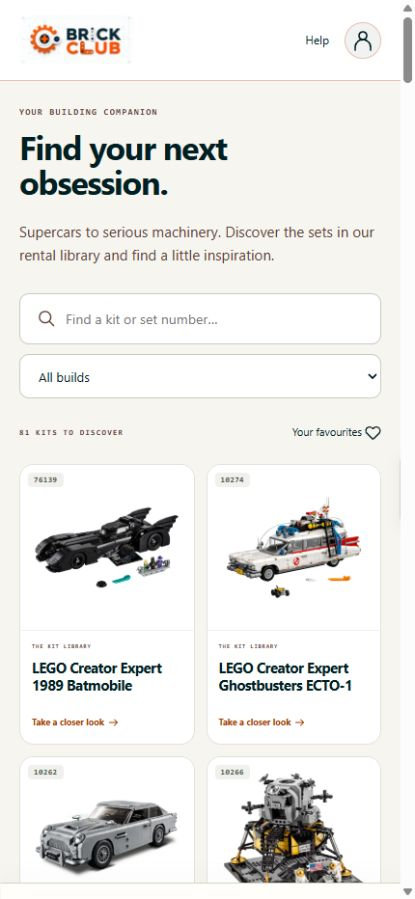
Kit library
Search the collection by name or set number.
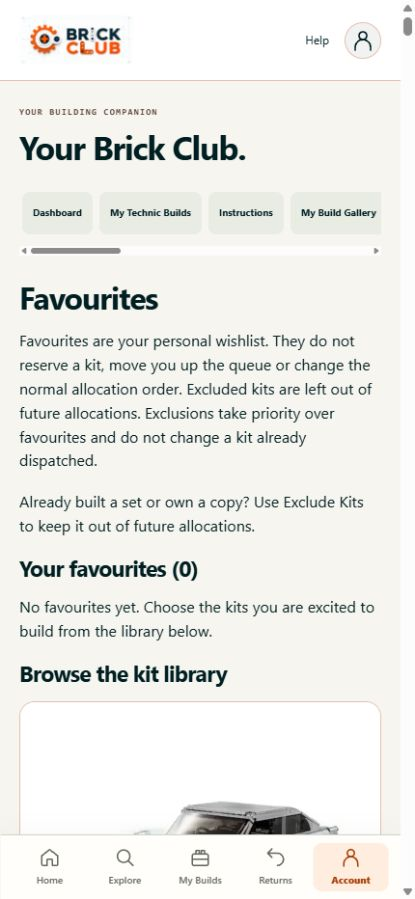
Your favourites
Keep a wishlist alongside your existing kit preferences.
02 / BUILD
Watch your collection of builds grow.
Your digital stamp card brings your Technic journey together. See what you have completed and what is still waiting to be discovered, with your building instructions a few taps away.
- Follow your build progress in My Technic Builds.
- See completed, pending and owned kit states in one collection.
- Find digital building instructions and open the official PDFs. Printed instructions still come with your kit.
- Your account also includes My Build Gallery for your build photos.
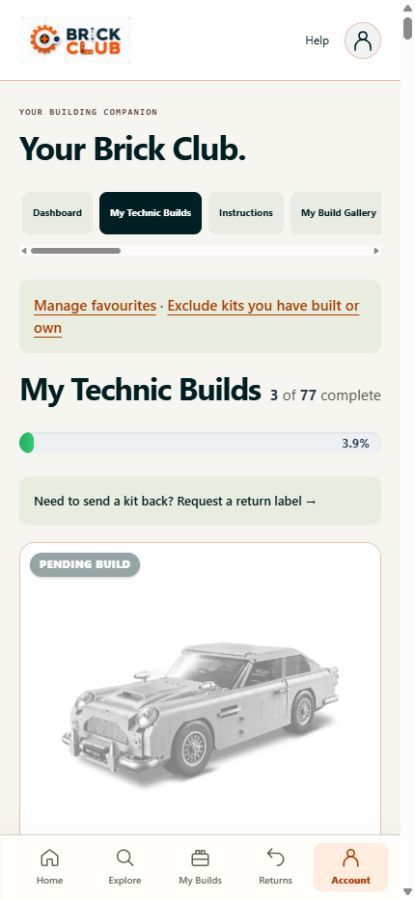
Your stamp card
A visual record of the kits in your building journey.
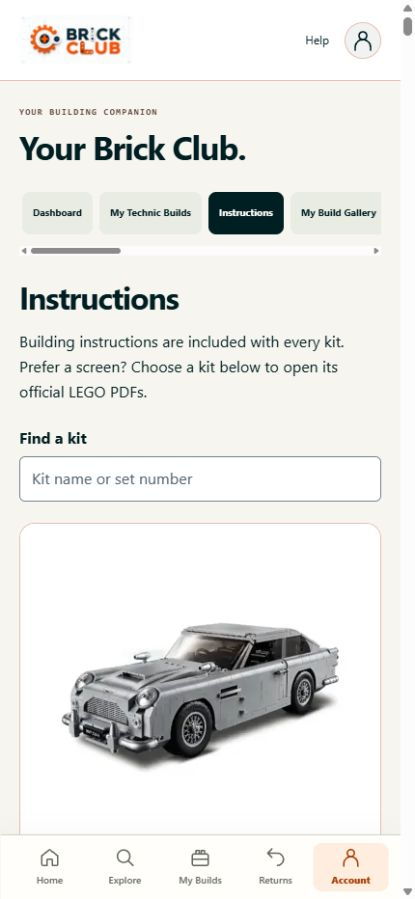
Building instructions
Search for your kit and open its digital instructions.
03 / RETURN
Ready for something new? Sort your return here.
When your kit is ready to come back, open Returns to request your prepaid label. Keep the label handy, then follow the parcel as it makes its way back to Brick Club.
- Request a prepaid Yodel return label for the kit currently on your account.
- View, print or download labels you have already created.
- Use Track My Kit for both the kit sent to you and its return journey.
- Tracking updates when the carrier scans the parcel. Pack your kit securely and use the instructions shown with your return.
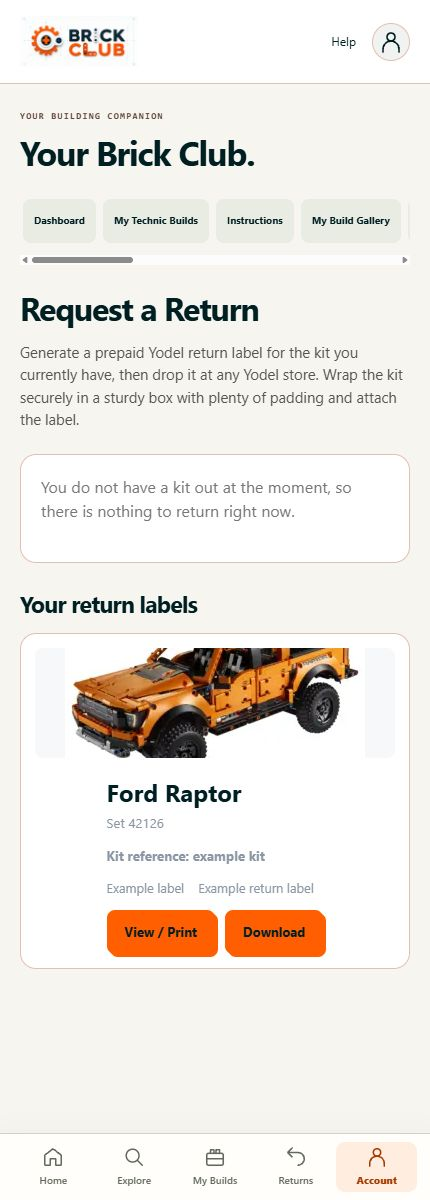
Returns and labels
Your return request and saved label downloads.
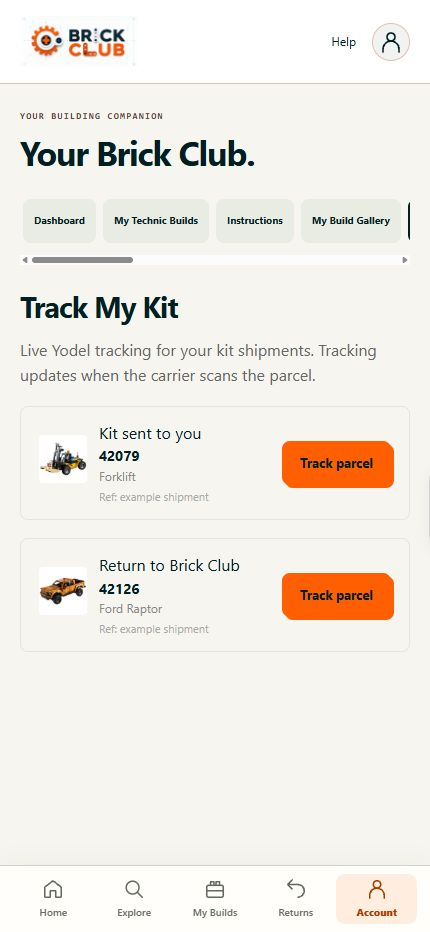
Parcel tracking
Open tracking for outbound kits and returns.
04 / GET SUPPORT
The little pieces matter too.
A missing part should not leave you hunting through emails. Report it against your current kit, and use the suggestion area to tell us what you would love to build next.
- Record the part numbers from the instruction booklet, quantities and any useful notes.
- Tell us whether you need pieces posted out or are reporting them so the box can be topped up.
- Return and missing-piece actions depend on the kit currently on your account.
- Suggest a set by number, add a reason and include an image if needed. Suggestions are reviewed; they are not reservations.
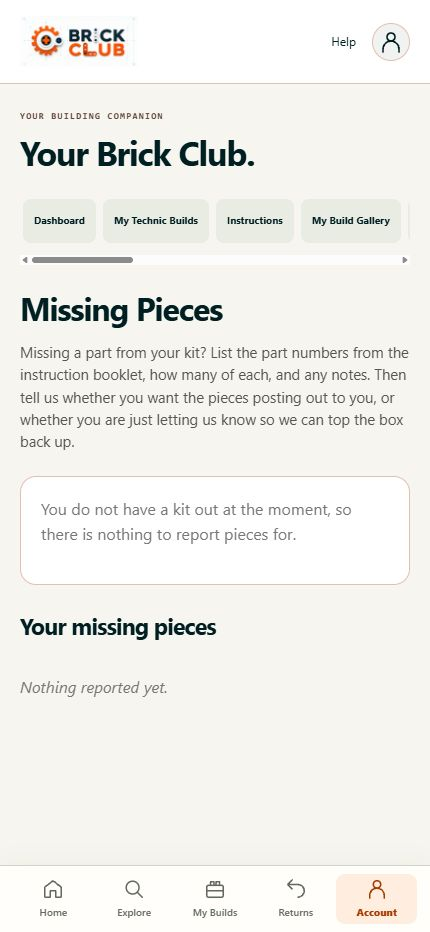
Missing pieces
Report parts and review your existing reports.
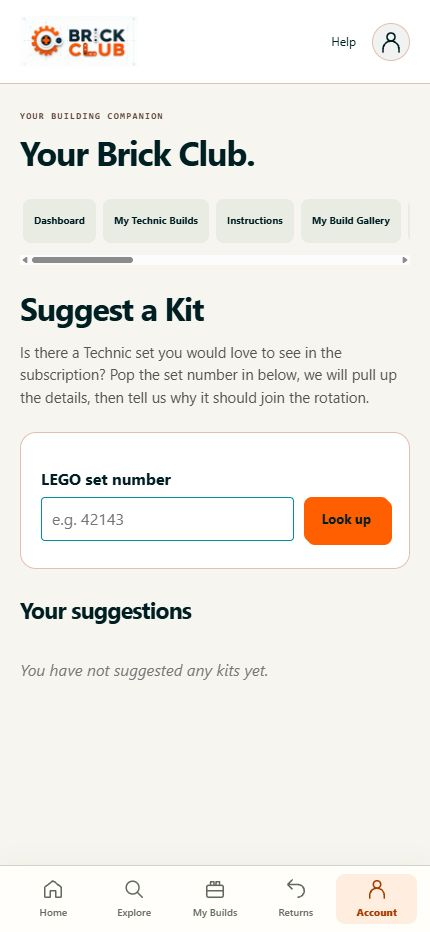
Suggest a kit
Tell us which set should join the rotation.
05 / YOUR MEMBERSHIP
Join, check your plan and keep on building.
New to the club? Choose a rental membership and review its billing options and terms before checkout. Already a member? Your existing Brick Club login brings your membership into the app.
- Compare the available rental plans and start your membership from your phone.
- Review your membership status and next billing date.
- Use the management options available for your membership, with account and address details in the same account area.
- Payments use the existing secure checkout. Kit allocation, renewals, returns and membership terms continue to apply.
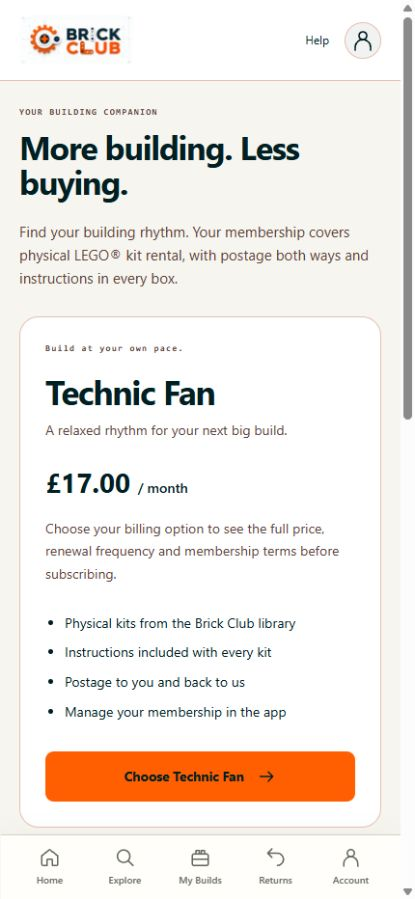
Choose your plan
Review your billing option and terms before subscribing.
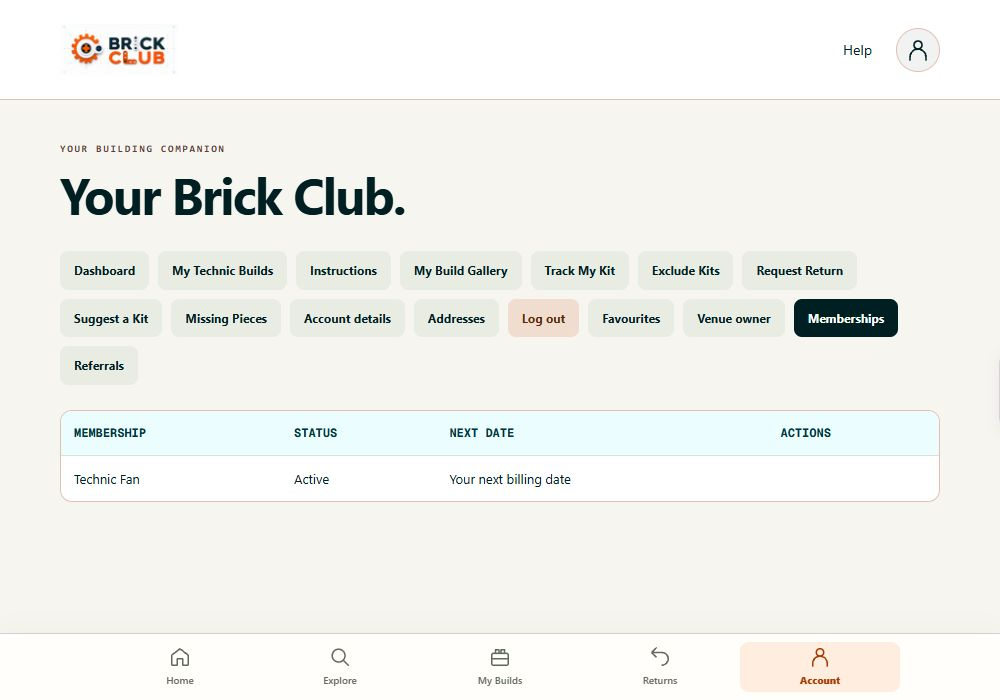
Membership and billing
Your plan, status and next date together.
A few useful answers.
Is the app free?
Yes. The Android app is free to download. Renting kits requires a paid Brick Club membership, and you can review your chosen plan and terms before subscribing.
Do I need a new account?
No. Existing members use their current Brick Club login. Your membership and kit history stay in the same account.
Can I choose and reserve an exact kit?
Kits are allocated through the normal Brick Club membership rotation and available physical stock. Browsing, favouriting or suggesting a kit does not reserve it.
Can I use it on an iPhone or computer?
You can use the browser interface on your existing device. The downloadable store app is currently available for Android on Google Play in the UK.
Why are some return or missing-piece controls unavailable?
Those actions depend on the kit currently on your account. If you are between kits, the app explains that there is nothing to return or report at the moment. Existing labels and reports remain in their account areas.
Make room for your next great build.
Download Brick Club and sign in with your existing account, or explore a membership to get started.
Need a hand? Contact Brick Club