

Off-Road Buggy (42124): the Control+ set that looks like a toy RC car
This is the one Control+ set that looks like the radio-controlled cars it is copying. Knobbly tyres on white rims, a whip aerial with a white ball on the end, a black rear wing, magenta and blue panels with 1980s decals. Underneath it is two L motors and a Technic hub in a 374-piece chassis with springs at both ends. Finished, it is 28 cm long, 19 cm to the top of the aerial, and it weighs about 650 grams with the six AAs in.
It is in the Brick Club library. The build is half an hour, so what you are renting is a fortnight of driving. Below is what the two motors do, how the five bags go together, and where the app and the floor space catch people out. The reviewers liked the model and not the controls.

Why this one matters
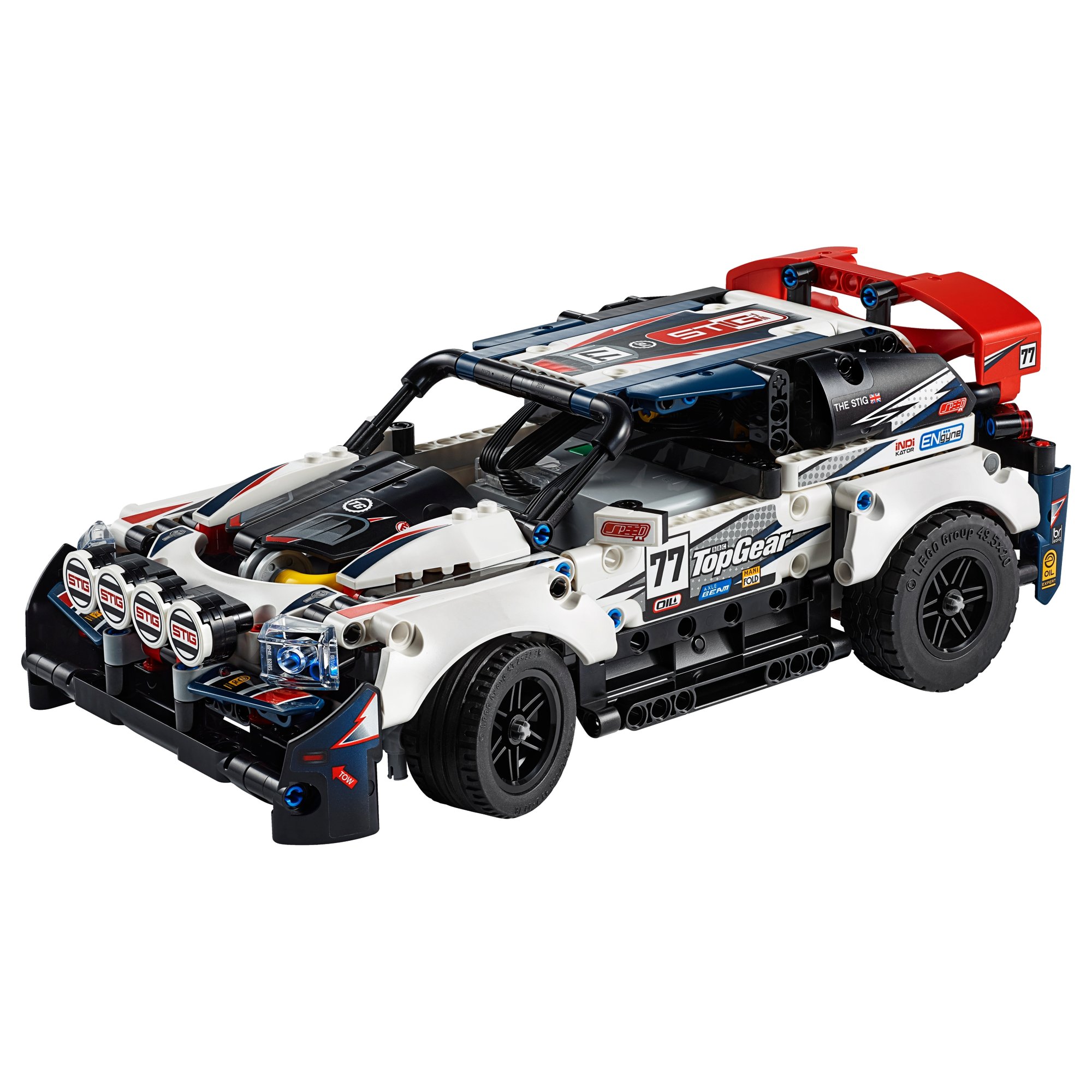
Control+ arrived in 2019 and this was the fifth set to use it, and LEGO’s second go at a cheap one after the Top Gear Rally Car (42109). Hoth Bricks was blunt about the relationship: it is the rally car again with front and rear suspension added and a different livery on top. Huw at Brickset thought it looked much better than the Top Gear car, and New Elementary said it looks great and the new parts are fantastic. The hub and the two motors would have cost £135 bought separately, which is where the money went.
The new parts are worth knowing about. The tyres were new for this set, big and knobbly, and New Elementary’s first reaction was ‘about time’. The white rims were a new colour for that wheel. Two 15-long beams have pin holes in two planes, which Huw picked as the most exciting pieces in the box, and the magenta panels were new in that colour alongside 15 dark azure parts including the new 3 by 7 panel. The differential is the compact five-gear one that had appeared in only two sets before it.
For a rental the price argument disappears. At £120 Huw could not recommend it against a non-LEGO RC car at a quarter of the money. Sent out for a fortnight, it is a working RC buggy you build in half an hour, and the only questions are floor space and a phone that will run the app.
What it actually does
Both functions run from the Control+ app through the hub to a motor. Apart from the opening bonnet there is nothing to work by hand and no gearbox, so the paths below start at your thumb.
One note on our own product page, which says 4-wheel drive, independent suspension and Ackermann steering. The reviews describe one motor driving the back wheels only, shock absorbers at the front plus a rear assembly that pivots on two springs, and nothing at all about the steering geometry. I have written what the reviews say, and the product page needs correcting.
The second L motor is built into the rear axle assembly and drives the back wheels through the new differential. That differential is a small grey cup holding five tan bevel gears, with a red 28-tooth ring gear clipped over three tabs as its lid, and it is a marked change from the open cage Technic had used for forty years. On speed the reviewers split three ways. Huw found the car goes much faster than you would expect; Hoth Bricks found it sluggish on a smooth floor and slower again on gravel or grass; BricksFanz found it surprisingly nippy over grass and carpet. Plan on Huw’s view: quick enough indoors that you need room.
The other L motor sits in the nose and steers the front wheels directly. The build starts here, and New Elementary found the whole front assembly compact and sturdy. These motors report their position and speed back to the hub, which is how the app can show a readout of where the buggy is pointing. None of the reviews describes the linkage between the motor and the wheel hubs, so I am not naming it.
LEGO’s own description makes a point of front and back suspension being a first for Technic, and the two ends work differently. The front wheels have proper shock absorbers. The rear is the whole axle assembly, motor and differential included, joined to the front of the chassis by two axles and to the top of the body by two springs, so the chassis bends in the middle rather than each rear wheel moving on its own. Huw called it rudimentary. Hoth Bricks weighed the buggy at 650 grams with batteries and reckoned it was too light to make the springs do much. Ground clearance is generous, which keeps the exposed underside of the hub off the floor.
The hub is the Powered Up battery box and the Bluetooth receiver in one part, and it sits low in the centre of the chassis. Filled with six AA batteries it puts the weight where you want it. All three builders who mention it praised the same thing: the battery compartment faces the floor and you change the cells without taking anything apart. The underside of the hub is not protected, so keep it off gravel.
The buggy’s screen in the app puts a small round control pad on the left for speed and steering together, sound-effect buttons on the right (horns, a duck, and one that is exactly what you think) and a large brake button at the bottom. An orange square in the corner opens a race against a virtual opponent with power-ups that interfere with your controls. Three of the four reviewers found the pad hard to use: it is tiny, so the smallest movement of a thumb is a big change in speed or direction, and you cannot watch the buggy and the pad at once. Hoth Bricks alone called the layout ergonomic. New Elementary’s fix is a third-party app called Brick Controller that lets a Bluetooth gamepad talk to the hub. There is no tilt-to-steer mode, and Huw wished there were.


How the build goes
Five bags, none of them numbered, and under 400 parts. Hoth Bricks had it built in under half an hour with the stickers on, and Huw said it does not take long. Four short stages, then the app.
Front end: steering motor and shock absorbers
The build starts at the nose with the first L motor and the front suspension. This is the most engineering in the set, compact and sturdy when done, and it is where the yellow shock absorbers go in.
Chassis and hub
The hub slots into the middle of the chassis. Put the six AAs in now, from underneath, and test the steering motor; the drive motor can be checked once the rear assembly is on.
Rear axle: second motor and differential
The rear assembly is built as its own unit: the motor, the five-gear differential, the two axles that join it to the chassis and the two springs that hold it up. Count the bevel gears going into the differential cup, five and not four. Bolting this unit onto the chassis is the moment the model becomes a car.
Wheels, wing, aerial and stickers
White rims onto the hubs, the knobbly tyres, the black wing and the aerial with its white ball. Then the sticker sheet, which Huw and New Elementary both left in the box. Hoth Bricks applied them and still finished inside half an hour.
Pairing and first drive
Install Control+ before the kit arrives and check your phone will run it. Pick the buggy from the list, connect, and expect a few minutes of Bluetooth faff every time you start. Huw’s Galaxy S9 occasionally needed a reboot before it would see the hub. Clear the biggest floor you have and use the brake button more than you think you need to.
No member build has come back with notes yet, so these are from the four reviews. They are mostly about driving rather than building, which tells you something about the build.
- Five gears in the differential, not four. New Elementary spent two minutes scratching his head before spotting the fifth small bevel gear, which sits under the red ring gear. If the ring gear will not clip over its three tabs, count them.
- The control pad. It is tiny and very sensitive, so a small thumb movement is a big change of speed or direction, and reversing away from a wall is the hardest thing you will do. Your thumb slides off it if you look up at the buggy, and on some phones a swipe from the edge opens the notification drawer instead. A Bluetooth gamepad through Brick Controller fixes most of this.
- It needs a big floor. Huw’s complaint throughout: quick enough that in a normal UK room you spend your time bumping into furniture and door frames, and crashing is how you damage or lose pieces. Clear the room, or take it to a hall.
- Bluetooth and the five-minute start. Find the phone, open the app, connect, and occasionally reboot the phone when the hub will not pair. Outdoors, Huw suspected the link would struggle beyond 30 or 40 metres.
- Off-road is a strong word. The reviewers disagree on rough ground: Hoth Bricks found it sluggish on a smooth floor and slowed right down on gravel or grass; BricksFanz found it nippy over grass and carpet and happy over a slightly rocky patch. Indoors is the safe answer: bare floors first, then carpet, then the garden if you must.
On the shelf
It is 28 cm long, 16 cm wide and 13 cm to the roof, 19 cm to the tip of the aerial. The colours are the point: bright reddish violet side panels with the X-treme decals, dark azure beams and roof panel, white rims, big black knobbly tyres, a black wing, and the whip aerial with a white ball on top, which is a pure 1980s touch. Hoth Bricks saw the Nikko buggies of that decade in it straight away, and New Elementary called it classic RC styling. Two of the reviewers left the stickers off, and it still looks fine without them.
Huw’s verdict on it as a display piece was split: it looks quite good for the piece count, but when you are not driving it, it is not a particularly attractive display model. I would put it lower down where a child can reach it, which is where it wants to be anyway.

It is the one for you if you want something that drives this weekend rather than something to build over one, if there is a ten-year-old in the house, or if you want to try Control+ before committing to the bigger 4×4 X-treme Off-Roader (42099). It is under an hour to build, a couple of evenings of driving before the novelty of the thumb pad wears thin, and longer if you set up a gamepad. Check your phone will run Control+, put six AAs on the list, clear the biggest floor in the house, and count the bevel gears. If you want the same Control+ system under a rally-car body, the Top Gear Rally Car (42109) is in the library too.
If you like this one, try
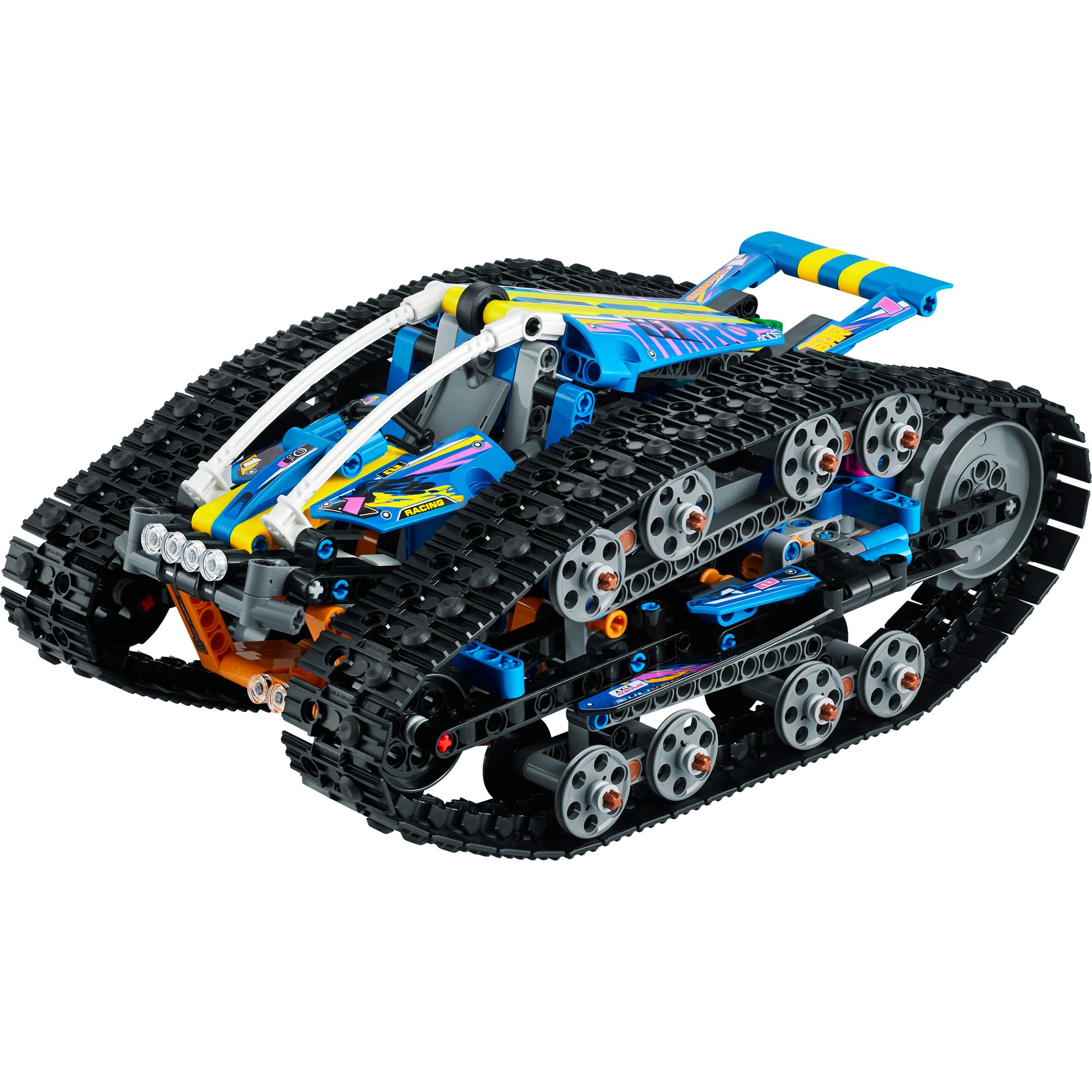
The other app-controlled and remote-controlled kits in the library. The Top Gear car is the buggy’s direct predecessor on the same Control+ system; the X-treme Off-Roader is the big Control+ set; the Transformation Vehicle is a tracked Control+ car that drives either way up and flips itself when driven at a wall; the Stunt Racer is the smaller Powered Up one.


The Off-Road Buggy is in the library
Technic Fan gets up to 6 kits a year, Master Builder up to 12. Delivery both ways is included and the prepaid return label is in the box.